Hello,
I have a problem with my current scene. I’m using repitive cubes (10x10 metres) to create the ground of my scene. I’m also using a grid asset (ProGrids) to let all my components snap to each other. The snap size is 0.25m.
Even if I zoom as near as I can I can’t see a gap between my cubes but still there are some thin black lines. If I turn of lighting I can still see these black lines. Here’s a screenshot of my problem:

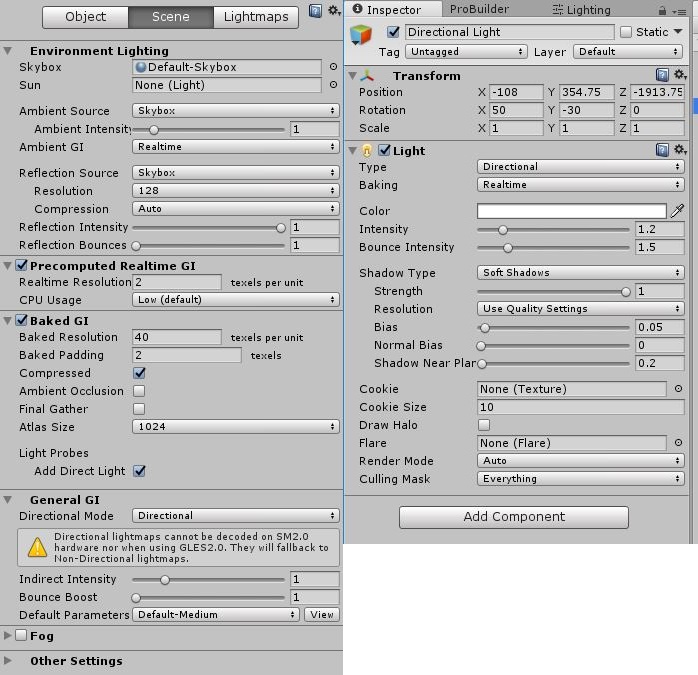
I don’t know whats causing this issue. I also searched the web for this issue and also tried to turn down the bias value of my directional light - but it doesn’t changed anything. What could possibly cause this problem?
Here are also my lighting and directional light settings:

thank you i am doing this using is = VirtualJoystick;
– bunnynsnake