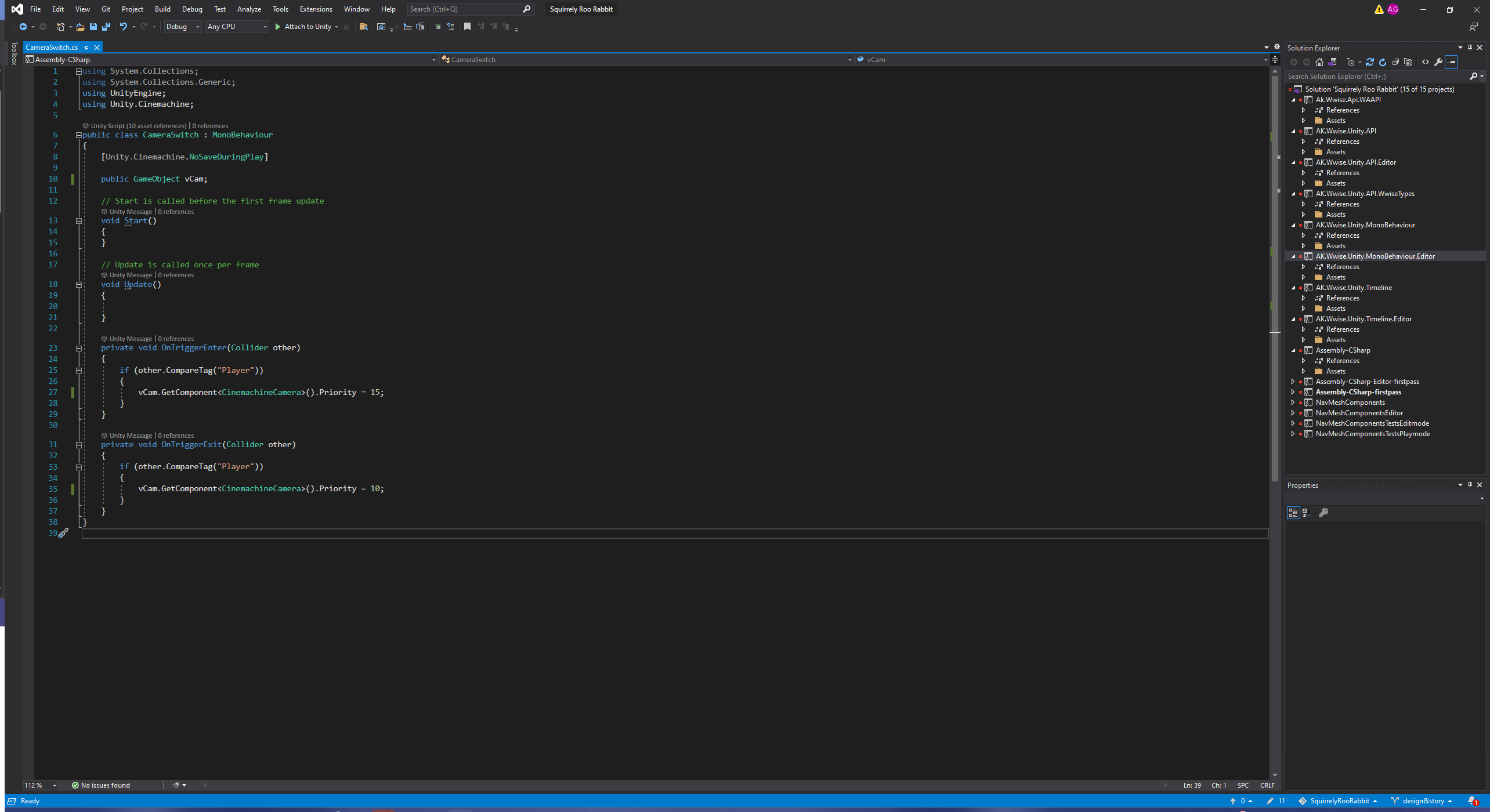
This level has 3 Virtual Cameras for the Main Camera to switch to while the player moves about the level to create more dynamic angles. As the player moves areas, they’ll step on different triggers which will respectively change the priority of virtual cameras 2-4 from 10 to 15 (the main camera is priority 12).
It worked perfectly before updating Unity or Cinemachine and even after updating to UInity 6, but not after updating to Cinemachine 3. I’ve used source control to check that everything is hooked up in the same way it was and it all matched. So, I’m not sure what’s breaking it now, but I know there were API updates and I’m wondering if I need to update the way the script is written.
That code should continue to work.
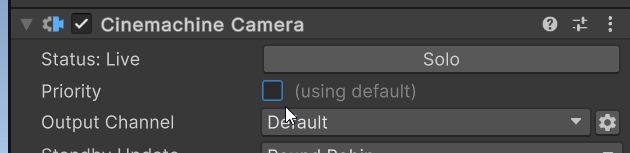
It’s possible that your CM cameras did not have their priority values properly upgraded. It could be that the “Enabled” field is not set so the camera thinks it has Priority==0. Check your CinemachineCameras and make sure that the Enabled checkbox is set.
I saw the box was already checked, but then noticed there was a button that would automatically upgrade all the components in the project to CineMachine3 since some of ours were depreciated still. Clicking it and upgrading everything resolved the trigger issue! Thank you for your help!
Hi, I am having a similar issue. Can you remember where you saw the box to upgrade all the components? I have CM 3 but it keeps saying camera is depreciated. The camera did work at first but I am not sure what changed to break it. Thank you!
You can find the button inside any CinemachineVirtualCamera inspector.