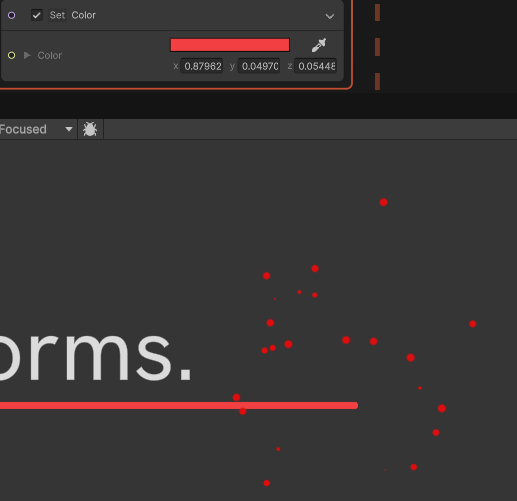
The circles in this image are from a Visual Effect object. It’s set to unlit.
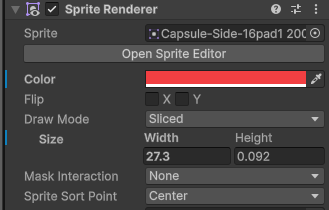
The line is a SpriteRenderer. Also using an unlit Sprite material.
Visual Effects don’t seem to render the color that matches what I set in the graph.
Why is this? And how can I make the colors match?
expected:
The color should match the SpriteRenderer, and the color I picked in the graph.
Things I’ve checked:
- they’re both unlit
- there’s no post-processing in this scene
- no lights in this 2D scene
- Unity 6000.0.26 (I haven’t updated because there’s something broken with SpriteShapes in the latest version)
Solved
- According to the Visual Effect Graph docs, “In URP, the Visual Effect Graph doesn’t support gamma color space.”
- 2D/URP projects created in Unity 2022 (and before) default to using the gamma color space. This doesn’t change (for good reason) when you update your project to a new version of Unity.
This makes it so VFX Graph’s color picker doesn’t work correctly by default in a Unity 2022 2D project even if you update or open it in Unity 6. Or if you use the gamma color space in any new project. If you rely on accurate colors, you will have find a way to do the color conversion some other way.
If your project is in linear color space, or you convert your project to linear color space, this part will work correctly. But this is not recommended for projects that are pretty far along because it will mess with all sorts of things, especially your 2D lights and post-processing settings. Also, despite the linear color space’s benfits, there are currently a host of inconveniences that you’ll have in Unity, including difficulty doing fine adjustments on the colors-- for example, because visual differences the linear color space are more squeezed in the color sliders and Unity’s color picker window can’t be resized.