Hello all! This issue is driving my a little crazy. Let me explain.
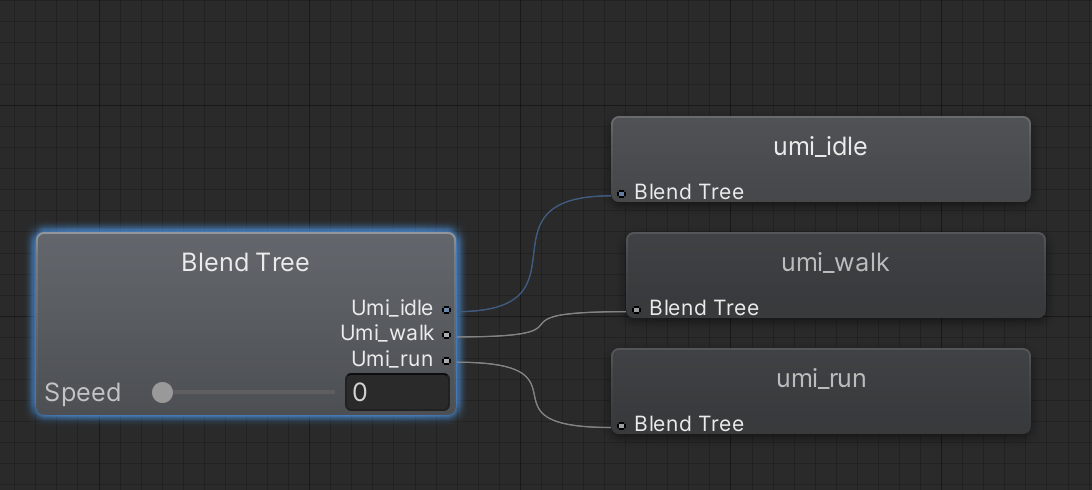
I have a simple Blend Tree of: Idle, Walk, Run. I have a speed perimeter. I’m using analog controls for the movement (Quest 3 joystick). It works fine when I slightly tilt the joystick, it transitions from Idle to Walk while playing a slow animation. if I hold the joystick down all the way, the walk animation plays at the appropriate speed.
The issue I’m having is that when I press and hold the right trigger which is my “sprint button”, then tilt my joystick slightly, instead of seeing my walk animation, I see a super slow sprint animation. Now this shouldn’t be possible because the blend tree animations are based on speed, not the button input. I have no idea why this is happening. If anyone has any ideas, I’d be most thankful.
THIRD PERSON CONTROLLER SCRIPT:
private void Move()
{
   // set target speed based on move speed, sprint speed and if sprint is pressed
   float targetSpeed = _input.sprint ? SprintSpeed : MoveSpeed;


   // a simplistic acceleration and deceleration designed to be easy to remove, replace, or iterate upon


   // note: Vector2's == operator uses approximation so is not floating point error prone, and is cheaper than magnitude
   // if there is no input, set the target speed to 0
   if (_input.move == Vector2.zero) targetSpeed = 0.0f;


   // a reference to the players current horizontal velocity
   float currentHorizontalSpeed = new Vector3(_controller.velocity.x, 0.0f, _controller.velocity.z).magnitude;


   float speedOffset = 0.1f;
   float inputMagnitude = _input.analogMovement ? _input.move.magnitude : 1f;


   // accelerate or decelerate to target speed
   if (currentHorizontalSpeed < targetSpeed - speedOffset ||
       currentHorizontalSpeed > targetSpeed + speedOffset)
   {
       // creates curved result rather than a linear one giving a more organic speed change
       // note T in Lerp is clamped, so we don't need to clamp our speed
       _speed = Mathf.Lerp(currentHorizontalSpeed, targetSpeed * inputMagnitude,
           Time.deltaTime * SpeedChangeRate);


       // round speed to 3 decimal places
       _speed = Mathf.Round(_speed * 1000f) / 1000f;
   }
   else
   {
       _speed = targetSpeed;
   }


   _animationBlend = Mathf.Lerp(_animationBlend, targetSpeed, Time.deltaTime * SpeedChangeRate);
   if (_animationBlend < 0.01f) _animationBlend = 0f;


   // normalise input direction
   Vector3 inputDirection = new Vector3(_input.move.x, 0.0f, _input.move.y).normalized;


   // note: Vector2's != operator uses approximation so is not floating point error prone, and is cheaper than magnitude
   // if there is a move input rotate player when the player is moving
   if (_input.move != Vector2.zero)
   {
       _targetRotation = Mathf.Atan2(inputDirection.x, inputDirection.z) * Mathf.Rad2Deg +
                         _mainCamera.transform.eulerAngles.y;
       float rotation = Mathf.SmoothDampAngle(transform.eulerAngles.y, _targetRotation, ref _rotationVelocity,
           RotationSmoothTime);


       // rotate to face input direction relative to camera position
       transform.rotation = Quaternion.Euler(0.0f, rotation, 0.0f);
   }


   Vector3 targetDirection = Quaternion.Euler(0.0f, _targetRotation, 0.0f) * Vector3.forward;


   // move the player
   _controller.Move(targetDirection.normalized * (_speed * Time.deltaTime) +
                    new Vector3(0.0f, _verticalVelocity, 0.0f) * Time.deltaTime);


   // update animator if using character
   if (_hasAnimator)
   {
       _animator.SetFloat(_animIDSpeed, _animationBlend);
       _animator.SetFloat(_animIDMotionSpeed, inputMagnitude);
   }
}
INPUT ASSETS SCRIPT
namespace StarterAssets
{
   public class StarterAssetsInputs : MonoBehaviour
   {
public InputActionProperty moveAction;
public InputActionProperty jumpAction;
public InputActionProperty sprintAction;

       [Header("Character Input Values")]
       public Vector2 move;
       public Vector2 look;
       public bool jump;
       public bool sprint;

       [Header("Movement Settings")]
       public bool analogMovement;

       [Header("Mouse Cursor Settings")]
       public bool cursorLocked = true;
       public bool cursorInputForLook = true;

private void Start()
{
moveAction.action.performed += x => MoveInput(x.ReadValue<Vector2>());
moveAction.action.canceled += x => MoveInput(x.ReadValue<Vector2>());
jumpAction.action.performed += x => JumpInput(x.action.IsPressed());
sprintAction.action.performed += x => SprintInput(x.action.IsPressed());
sprintAction.action.canceled += x => SprintInput(x.action.IsPressed());
}

#if ENABLE_INPUT_SYSTEM
       public void OnMove(InputValue value)
       {
           MoveInput(value.Get<Vector2>());
       }


       public void OnLook(InputValue value)
       {
           if(cursorInputForLook)
           {
               LookInput(value.Get<Vector2>());
           }
       }


       public void OnJump(InputValue value)
       {
           JumpInput(value.isPressed);
       }


       public void OnSprint(InputValue value)
       {
           SprintInput(value.isPressed);
       }
#endif


       public void MoveInput(Vector2 newMoveDirection)
       {
           move = newMoveDirection;
       }


       public void LookInput(Vector2 newLookDirection)
       {
           look = newLookDirection;
       }


       public void JumpInput(bool newJumpState)
       {
           jump = newJumpState;
       }


       public void SprintInput(bool newSprintState)
       {
           sprint = newSprintState;
       }


       private void OnApplicationFocus(bool hasFocus)
       {
           SetCursorState(cursorLocked);
       }


       private void SetCursorState(bool newState)
       {
           Cursor.lockState = newState ? CursorLockMode.Locked : CursorLockMode.None;
       }
   }

}


Hello @EvanCheddar, this doesn't look like a problem with your blend tree, could you share a bit of your code so we can understand your logic and see where the problem comes from?
– Cyber_Cats@Cyber_Cats, hey there! I included a hyperlink to my scripts above.
– EvanCheddarWhat are these two variables: _animIDSpeed and _animIDMotionSpeed ?
– Cyber_Cats