from one day to the next, some screens of the editor show blurred or pixelated fonts.
I have restarted the layout, reinstall unity, changed the font editor font in preferences and nothing.
It only happens in this project, in other projects with the same version of unity it works fine!
I have unity 2020.3.41f1, macOS Ventura 13.0.1 installed.
How can I fix it?
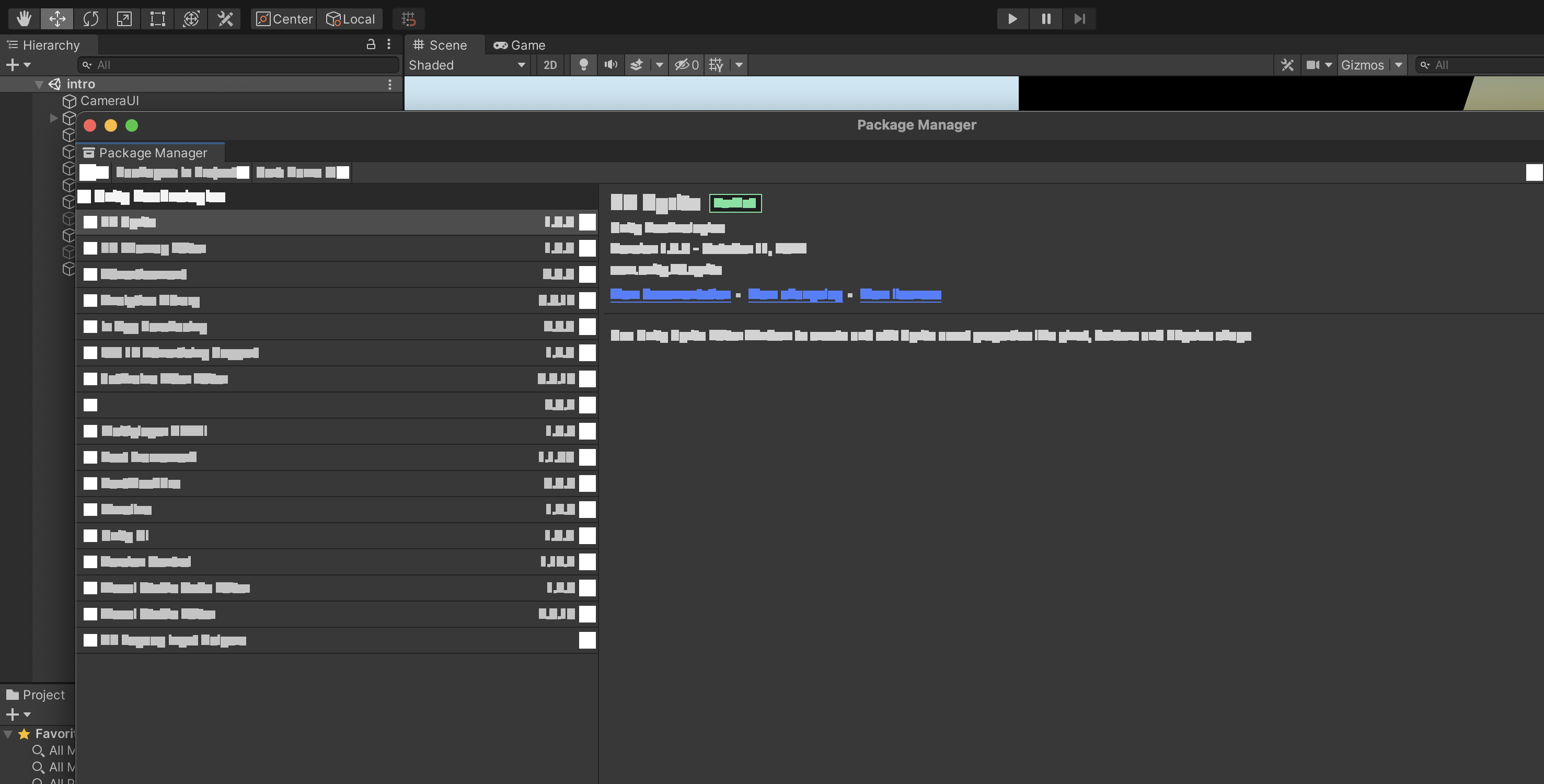
update:
if you open unity with the OpenGL option instead of Metal, if you can see those screens correctly.
-force-opengl
Hi, thanks for reporting the problem. This is a known issue. You can track the progress here:
https://issuetracker.unity3d.com/is…th-white-squares-when-opening-package-manager
Don’t forget to go back to Metal once the fixed editor version becomes available because it offers better performance than OpenGL.