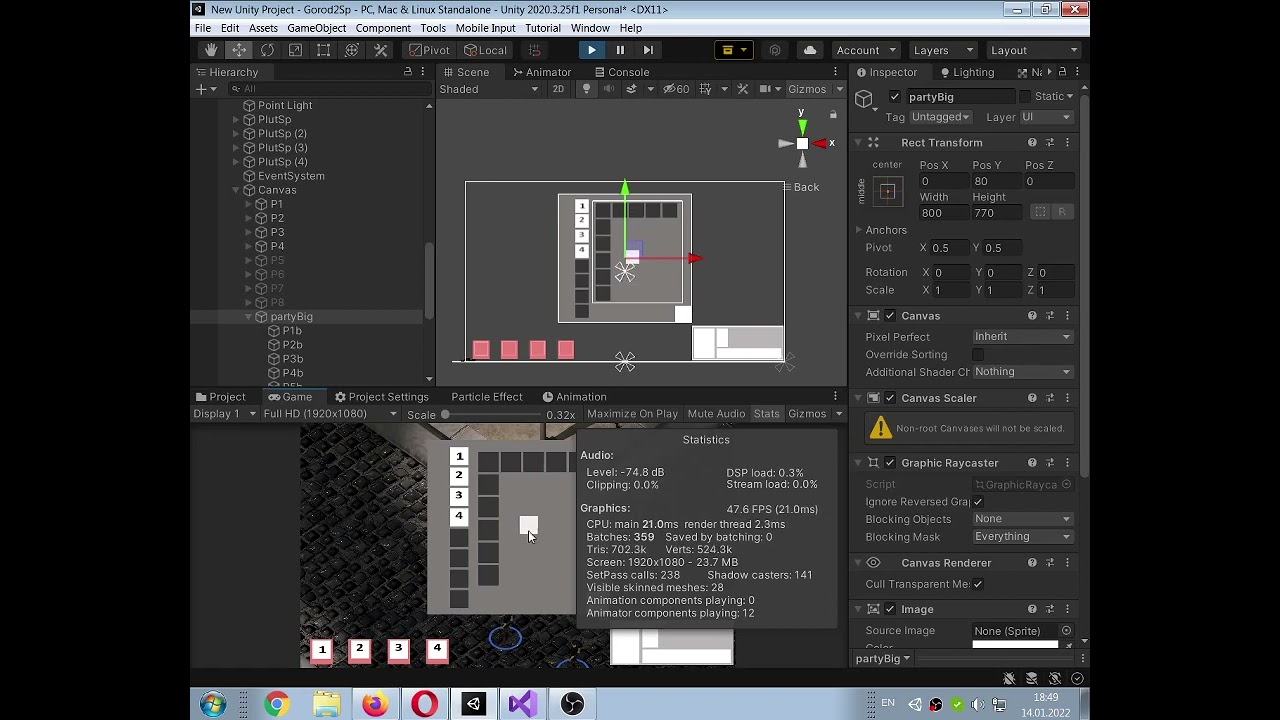
Yep, this is happening because you’re using a hardware cursor and your framerate is pretty low. The hardware cursor is rendered directly by your display adapter over the normal graphics buffers and will always be drawn at a higher framerate than any actual application on your computer. Fixing your game’s performance issues will help somewhat, but it will never be perfect, as nothing can really compete with the hardware cursor.
Another option is to use a software cursor, meaning hiding the hardware cursor and drawing an image yourself at the cursor position within your Unity game. This will eliminate the discrepancy between the cursor and the dragged item, but it will come at the cost of a cursor that feels a bit less responsive and snappy to the user.
You’ll have to decide on which tradeoff makes sense for your game, or give the player the option between hardware/software cursor in your game settings.
@PraetorBlue I’ve been playing computer games for 20 years and only now found out what the difference is. Thank you. It’s easier to leave everything as it is, but it’s better to make a program cursor.
If I expand the game to full screen at full HD resolution, it gives out 150 fps, on my mediocre computer. 45 fps on average give me Unity games that I like.
Be careful relying on frame rates to determine how something performs because what Unity says is your frame rate and the frame rate that is actually being used can be different. Vsync, for example, tries to match to 60 Hz but if it fails it has fixed values that it will try next with the second attempt being 30 followed by 20/15.
But it won’t say that it’s outputting at 30 when the game is trying to render 45. It’ll just silently throw out the frames in the background. If you switch off Vsync these frames will be rendered but then that introduces other problems.