Hello!
I’m trying to make a stylized shader for tree leaves. I want this shader to find the distance between a tree (its mesh origin in world space) and the player, then putting that value as it’s color. Of course, I’m going to do other things to color it and make it look like my concept art. That’s the base though.
In other words, I want all the leaves to be the same color on a tree but have the trees get darker or brighter the closer the player gets to them.
At first, I tried using object position. However, the distance node kept outputting the distance between the player and world origin. I think that the object node may only take the mesh’s local position rather than the world position. On the other hand, the position node is per vertex, which is not what I want.
I haven’t been able to find any documentation on any node that’ll do this. I also have a deadline for December 5th. I’m starting to lean towards the idea that I may have to bite the bullet and write some shader code, though that also means learning how to write shader code. I figured I’d come here first in case anyone could confirm or deny that this is possible in shader graph.
A thing to note:
My trees are all prefabs under the LOD0 object. All trees are then under an empty that separates the tree groups by area, for ease of use and, possibly, a final LOD using probuilder.
If you read this or have any answer, thank you in advance!
Can you find the distance between the camera position and the world space position? Since this is always far greater than 1, you can divide it by an arbitrarily large value (or maybe the camera’s far plane if that works for you)
That’s certainly helpful! Before, I was feeding in the camera’s position through script. I forgot there was a node for that.
Now, that’s a bit better than what I was doing before but it still just looks like a depth texture. I attached the result when I use that as the shader.
If it helps at all, I’ll also drop the concept art below.
I assume, then, that the position node is per vertex rather than per mesh.
If there is no node that’ll do it, is there a way to write a custom node that’ll find the mesh’s world position?
Many thanks!
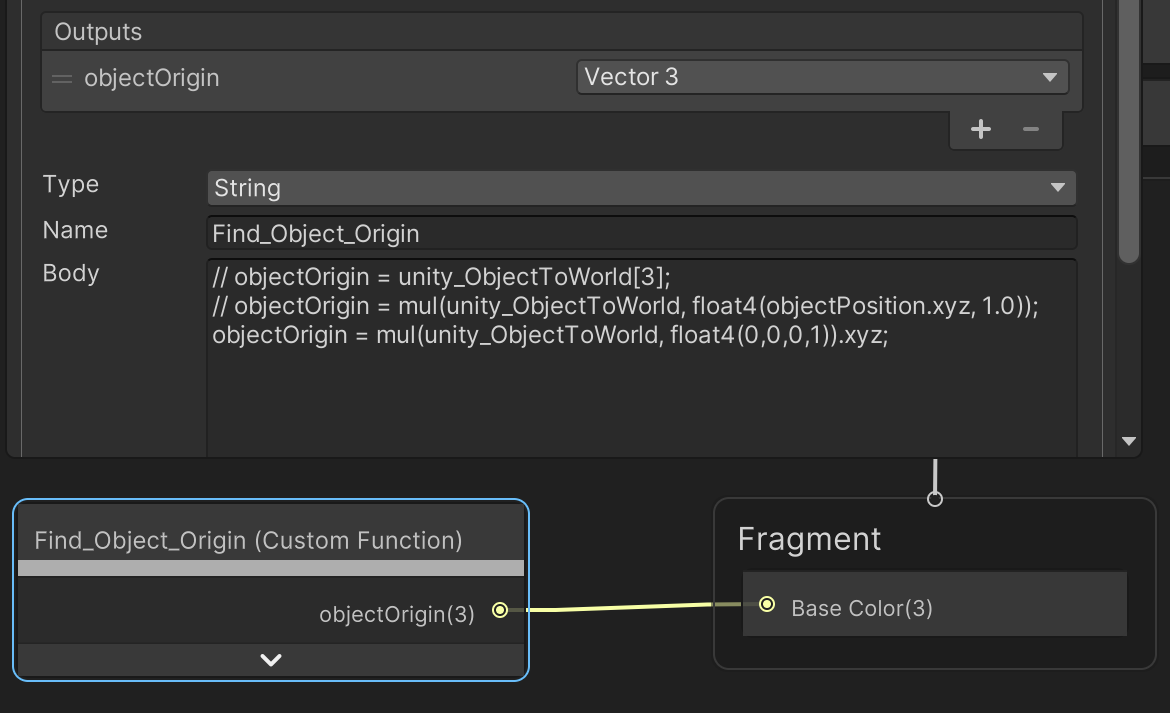
I managed to find some documentation online, finally, about how to get the gameobject position in world space. However… it only seems to work in editor.
Now, at this point, I don’t even know how to figure out what’s going wrong.
If anyone knows why this might be happening, that’d be a big help!
You are correct! Thanks much! I must’ve overlooked it or mistook it for another node, before. That still didn’t help with the blackout problem, though. No worries, 'cause I found the solution.
The Solution:
I’m not an expert, so I can’t explain it too thoroughly, but I found threads of others, with similar problems, mentioning “batching.” The simple solution was to uncheck static for all the trees.
Now, is this good for performance? Probably not. Though, I’m attempting to embrace performance solution as part of the style, such as quick changing LOD groups. And, since it’s an FPE, frame drops aren’t my biggest concern.
Here are some screenshots for anyone else having similar problems.