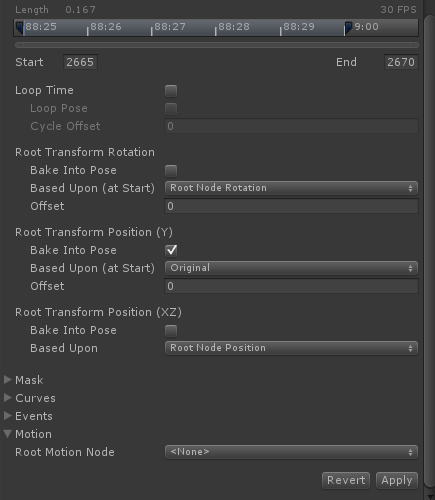
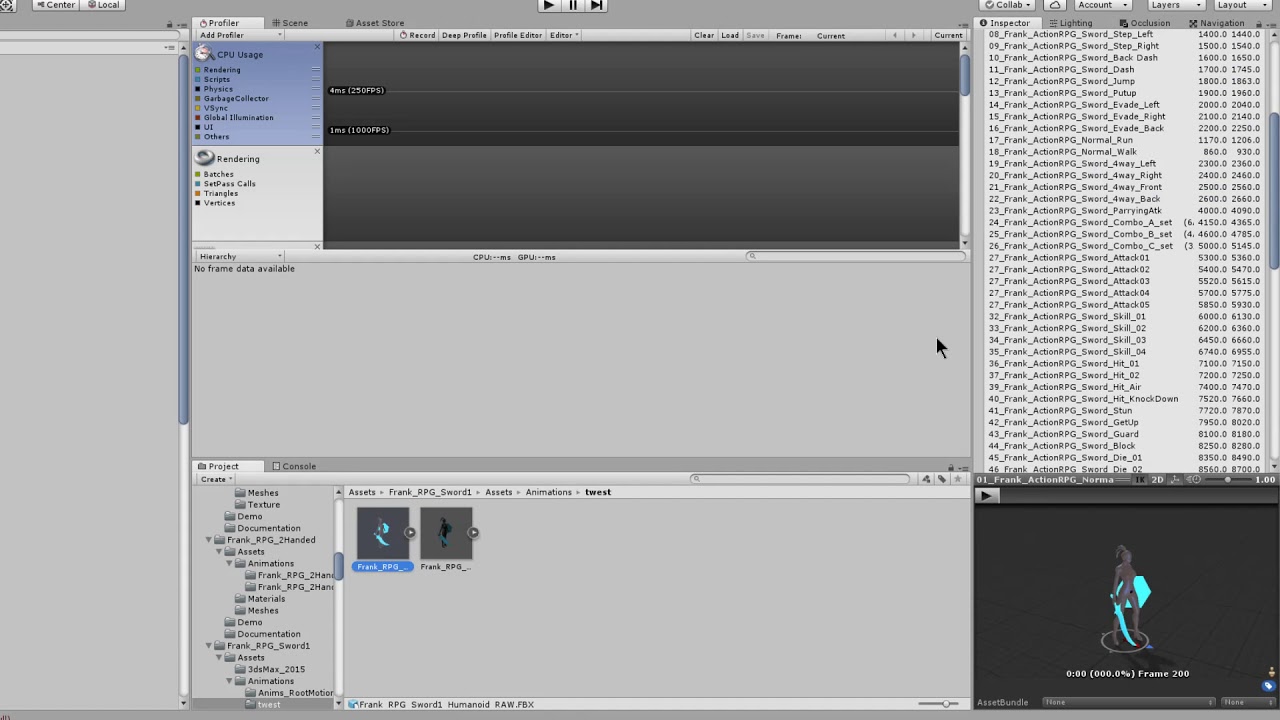
This is probably related to new Unity 5 settings; I can’t see the Root Transform Rotation and Position options in newly imported fbx, in “Animations” panel of inspector.
On an “old” fbx, imported before switching to Unity 5:
On a “new” fbx, imported with Unity 5:
The animators are 100% sure they didn’t change a thing in export settings. I’m not even sure it has anything to do with Unity5, but it seems likely.
On the “old” anim, if I change the Root Motion Node to any other value than “”, the Root Transform Rotation and Position options disappear, replaced by “Root motion is driven by curves”, but they come back if I set it to “” again.
Any idea on what could cause those options to be missing?
Well, in case anyone would have the same issue: it came from the model used to create the avatar set in the fbx. In the Rig panel, Root node was set to None instead of the root of the model itself. After changing it, then clicking Update in the Rig panel of the animations fbx, the desired options came back.
I’ve just experienced this in Unity 5.5 - my options were there a second ago, and now they’re not. I’ve got Root Node set and individual motion roots set, but these options don’t want to appear.
I’m loathed to try re-importing the model again, because I’ve tweaked all the animation frame loops etc. Is there another solution?
I think I’ve possibly found the answer - Even though I’m sure I’d already done this, maybe a change had affected the import:
I removed root motion from the individual animation’s motion settings (set to none)
I re-applied scale & rotation to both the armature and object in blender.
Re-saved.
Suddenly the options came back. although I’ve got another funny issue - I lost an eyeball!
I’m just having the same issue, tried the above solution, setting root node to the model but root motion transform still not showing up. It’s a relatively recent character downloaded from assets store
I think it goes like this… (someone punish me if I’m wrong!).
These options seem to only appear if
You have the rig->root node set to the root node of your armature
The individual animation->motion->Root Motion Node set as None.
This is so you can override the behaviour of the root bone movement with specific options, because the model doesn’t have a custom root motion bone other than the root bone.
To use a more specific/custom bone, you then choose the animation->motion->Root Motion Node, but your options vanish because it’s assumed your custom bone provides the correct rotation/movement you require.
I had thought use of a custom bone was a per-animation setting, but sadly it’s not, as I’ve just discovered your rig either uses the root bone or all animations use a custom bone. I guess it makes sense in hindsight.
Hope that helps.
(edit)Why this is useful:
This means you can have most of your animations move around and rotate based solely on the rig’s root bone.
But if you prefer ‘in place animation techniques’, with a floating bone that providing movement data, then you can nominate that as the source of motion instead of the rig’s root bone. Typically this bone needs to be a child of the root bone, so that offsets can be calculated. I tried not making it a child bone and you get mad results.
I wish the Unity help told me this in the way I’ve described above. It’s something I’ve only just had the ‘eureka’ moment for.
its just worked after copy to another folder into unity and generating the humanoid rig again in 2018.4.9 to me worked just easy… thanks anyways , and thanks god! lol
In case this is happening to anybody in 2023… I fixed it by changing the Rig settings from “Generic” to “Humanoid”. Yes, I had previously changed them to humanoid, I’m not an idiot. But for whatever reason, they all switched back to Generic and took the Root Transform options with them. Using Unity 2022.3.7f1.