I’ve always been a fan of Downwells pixel art execution.
There’s a great dither in and out animation to the sprites when loading a new scene/stage in the game.
I’ve always assumed this was done by hand drawing the animations frame to frame. Which I’ve also done to a similar/same effect as well.
Visual Snippet References


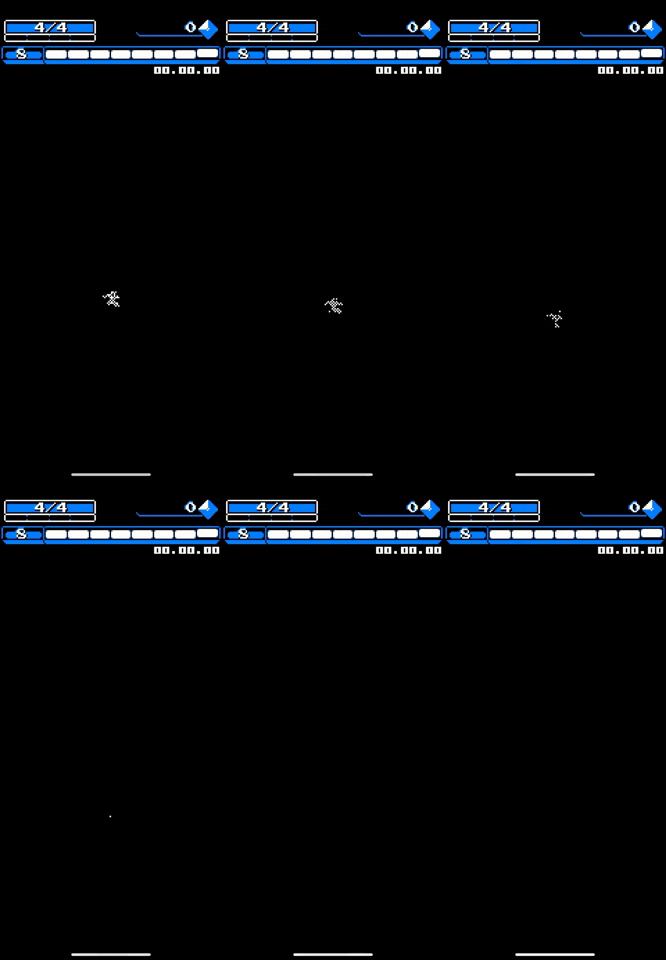
However, a Game Developer interview with Billy Basso about his upcoming game, Animal Well’s pixel graphic process got me thinking.
He goes on to talk about he has created his own game engine to allow him to have a direct control on rendering the visuals in a particular way for his pixel art. (Great insight, very good read).

And that’s why I’m wondering now…
Is there a way to programmatically way to achieve the dither in fade in effect for 2D pixel art as seen in Downwell with Unity? Would that be achievable by programming a 2D shader?
I have only 3-4 hours of beginning to learn about Shaders knowledge and now I’m wondering what is possible.
For instance, could I tell a shader “if this color is drawn onto the screen, change its transparency and make it glow”?
Apologies for being completely new to this subject. But any insight would be super valuable. Thank you!
TLDR :
- Is there a way to programmatically way to achieve the dither in fade in effect for 2D Pixel Art as seen in Downwell with Unity?
- Would that be achievable by programming a 2D shader?
- Could I tell a shader “if this color is drawn onto the screen, change its transparency and make it glow”?
global float variable “_dithAmnt” for your custom shaders, and after that all you need is some basic math with dither pattern. easy way is controlling a lerp between background color (black in above case, but you can easily fade to the skybox instead), by using a floor(col + ditherTexture * _dithAmnt) as the t in the lerp (or you can adjust alpha clip if your sprites are already alpha clipping). that should get you started, but if needed i can go into more detail 

Thank you so much for replying, @POOKSHANK .I’ve found more resources by continuing searching so i think i know where to start to begin to learn how to create custom shaders.
I’ve posted this question in 4 different forums/subreddits and you’re the first to respond so i really appreciate that!
If i have a background image sprite and than object sprite, is it possible to have a custom shader on the object sprite receive a variable for the background image color to use that to fade to?
if you can explain any more that would be great. No worries if it’s too much.
you wouldn’t be able to send in a variable between shaders or global, as you can only send a single float4 color, so your best bet would probably be to utilize alpha clipping which i assume you are already for some sprites (though alpha clipping performance is worse than opaque so if only for an animation you could potentially switch between shader variants). in the case of a 3d skybox however there is a global variable that represents the sky cube map, not sure if you can leverage this as i’ve never used the 2D tools in unity. one more thing to mention as you seem to be learning is that a fragment in a shader knows nothing about the other fragments, so the only real way to affect the things rendered behind is through the use of alpha or having access to a single texture that represents the background (potentially possible with a render texture if you’re in a low enough resolution). btw i’m assuming you’re using tiles but if not this should be trivial
Do you mean you’re assuming I’m using a tilemap for the background? Do you mind explaining what you were referring to at the end there? @POOKSHANK
using alpha channel makes way more sense btw!
i mean that if you’re using multiple tiles for the background it’s almost impossible to sample the tiles without alpha (as they could be set any which way), but if it’s a static single image for the whole background you could plausibly sample it in your object shader.
Ah i see. Makes sense. Thanks so much!