I am attempting to import a jpg normal map at runtime and apply it to a material. The issue is that the material appears wrong compared to using a editor imported normal map. After importing the jpeg, my normal map conversion function looks like this
Texture2D convertedNormalMap = new Texture2D(source.width, source.height, TextureFormat.RGBA32, true, true);

Color32[] cols = source.GetPixels32(0);
for (int i = 0; i < cols.Length; i++)
{
    cols[i].a = cols[i].r;
    cols[i].r = 255; // Color32 uses a byte per component, so 255 == 1.0
    cols[i].b = 255;
}
convertedNormalMap.SetPixels32(cols, 0);
convertedNormalMap.Apply();
return convertedNormalMap;
Here are the results for a simple metallic material type. Her is my version using runtime normal map:
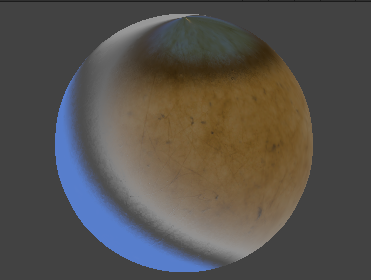
here is correct version using editor imported normal map with “Texture type” set to “Normal map” in unity editor:

The weird thing is that when inspecting the runtime normal map, it appears to look the same as the unity imported one. Below is the comparison. The left is the runtime and the right is editor

Yes keyword is already enabled.
– nickhudson2244