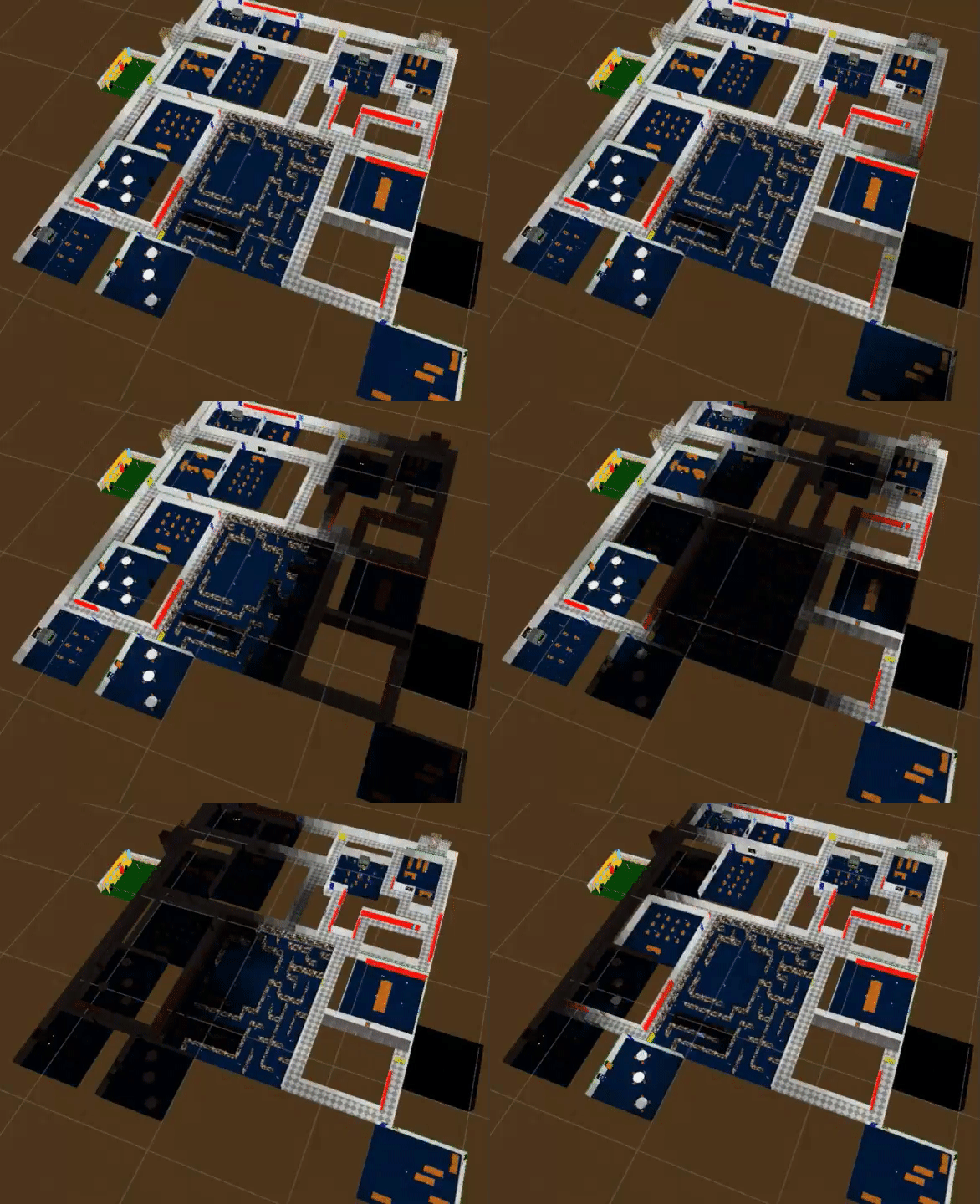
I’m working with a system in my game that overlays this texture2D over the entire scene, and basically I’m using grid systems to draw pixels onto it. However, the colors are not working as intended, all colors with the exception of the color white appear to be faded. I’m trying to make the square’s tiles face from white to black but it fades from white to gray. Does anyone who knows how to work with this kind of thing know why this happens and why it doesn’t work for me? (first image is the grid I’m attempting to draw, second image is the two colors I’m trying to do it with, and the last one is the SetPixel() function I used.


Could you post the complete code rather than just a blurry screenshot of Mathf?
Oh, that’s weird i thought you’d be able to view the full images. I am a little new to posting these things. Anyhow I probably should’ve showed what the lightColor variable is as well, basically it’s just lerping the grid’s color from color to bg_color by the distance of one of the grid’s children. “lightmap” is the name of the texture I’m writing data to.


Please don’t post code as images. Post the complete code as text with code tags. It’s impossible to tell the issue from three lines of code in screenshots.
This sounds like you should be using a shader (Shader Graph) to accomplish this. If you actually set individual pixels that’s super-duper slow! You can do it once to create a texture for later use, either in the editor or on launch, but usually a shader is the better (faster, less resource intensive) solution for these kinds of image manipulations.
Particularly if the goal is to have pixelated or color banding lighting like in classic (retro) 3d games, that’ll be a shader doing that.
Oh, sorry about that
void Update()
{


DrawLightsAtPosition();


}


void DrawLightsAtPosition()
 {
      foreach (Vector3 pos in positions)
     {


         bool Notdrawn = _isStatic && !lightsDrawn;

         if (Notdrawn || !_isStatic)
         {
             DrawLights(color, pos);
         }


     }
 }

 void DrawLights(Color color, Vector3 position)
 {
     Vector3 lightPosition = new Vector3(position.x * _tiling.x + _offset.x, 0f, position.z * _tiling.y + _offset.y);

     float b = Vector3.Distance(position, new Vector3(effectPosition.transform.position.x, 0, effectPosition.transform.position.z));


     Color _lightColor = color;
     if (!isOff)
     {


             Color baseColor = Color.Lerp(color, Bg_Color, b * blend  );

             _lightColor = baseColor;


         lightmap.SetPixel(Mathf.RoundToInt(lightPosition.x), Mathf.RoundToInt(lightPosition.z), _lightColor);

         Invoke("SetDrawnToTrue", 0.5f);
 }
Hopefully this is better
Well I am going for a pixelated lighting look, similar to Baldi’s Basics Plus. However I am using a shader to apply this lightmap over the scene, that’s the method that the game in the images use so I figured it be the method I should use.https://static.wikia.nocookie.net/baldis-basics-in-education-and-learning/images/8/85/Custom_lighting_teaser.gif/revision/latest?cb=20200521235407


Still missing half the code of the component but I guess this will do.
In any case the math doesn’t make a lot of sense. Any lerp function expects a value from 0 to 1 for t. I don’t think b * blend is doing that? Also looks like you’re lerping from an existing colour to the BG colour, which might also not make sense. Though hard to tell as you didn’t post where the color value comes from.
Bottom line is you need to debug your values to see if they match your expectations.
Though as Codesmile mentions, setting the color of an individual pixel is expensive. If you want to be doing this, you should be doing the whole texture at once, or at least every pixel you intend to update in one go.
Right, sorry about the formatting, dumb mistake on my end. Anyhow, I was attempting to debug it with the “_output” variable and it’s not returning the same colors as what’s being drawn on the lightmap texture which is what led me to believe this was a problem with the texture. And about what Codesmile mentioned, I am meant to work with multiple grids with this system so that’s why I thought to set the colors of individual pixels, however if there is a better cost efficient method I could use I’d be glad to hear it.
public class LightSource : MonoBehaviour
{

    public int _collumLength, _rowLength;


    public List<Vector3> positions;

    public GameObject effectPosition;


    public Texture2D lightmap, _copylightMap;

    public List<Color> outPut = new List<Color>();


    public Color color, Bg_Color;
    public Vector2 _offset = new Vector2(-5.33f, -12.2f);
    public bool _isStatic;

      public Vector2 _tiling = new Vector2(0.4f, 0.4f);


    public float blend;
    public float totalSize;


    public float spacing_x = 1;
    public float spacing_z = 1;
    public bool flickering;

    public Vector3 CorrectedOffset;

    public bool isOff = false;


    float flickerValue;
    public bool lightsDrawn;
    // Start is called once before the first execution of Update after the MonoBehaviour is created
    void Start()
    {


        if (flickering)
        {
            for (int i = 0; i < 5; i++)
            {
                InvokeRepeating("ChangeFlickerValue", 2f, Random.Range(6f, 30f));
            }
        }

    }

    // Update is called once per frame
    void Update()
    {

        totalSize = _rowLength * _collumLength;

        if (!LightsManager.lightsManager.staticSources.Contains(this) && _isStatic)
        {

            LightsManager.lightsManager.staticSources.Add(this);
        }
        else if (LightsManager.lightsManager.staticSources.Contains(this) && !_isStatic)
        {
            LightsManager.lightsManager.staticSources.Remove(this);
        }

            for (int i = 0; i < _collumLength * _rowLength; i++)

            {

                if (positions.Count <= _rowLength * _collumLength)
                {
                    CreateGrid(i);
                }

            }


            DrawLightsAtPosition();

        if (!LightsManager.lightsManager.sources.Contains(this))
        {
            LightsManager.lightsManager.sources.Add(this);

        }


    }


    void FetchCopyLightmap()
    {
        _copylightMap = new Texture2D(lightmap.width, lightmap.height);

        _copylightMap.SetPixels(lightmap.GetPixels());
        _copylightMap.Apply();


    }

    void ChangeFlickerValue()
    {


        if (flickerValue == 0)
        {
            flickerValue = 1;
        }
        else
        {
            flickerValue = 0;
        }

    }
    void DrawLightsAtPosition()
    {
         foreach (Vector3 pos in positions)
        {


            bool Notdrawn = _isStatic && !lightsDrawn;

            if (Notdrawn || !_isStatic)
            {
                DrawLights(color, pos);
            }


        }
    }

    public void ChangeOnState(bool off)
    {
        _isStatic = false;
        isOff = off;


        StartCoroutine(MakeStatic());


        IEnumerator MakeStatic()
        {
            yield return new WaitForSeconds(0.5f);
            _isStatic = true;
        }
    }

    void DrawLights(Color color, Vector3 position)
    {
        Vector3 lightPosition = new Vector3(position.x * _tiling.x + _offset.x, 0f, position.z * _tiling.y + _offset.y);

        float b = Vector3.Distance(position, new Vector3(effectPosition.transform.position.x, 0, effectPosition.transform.position.z));


        Color _lightColor = color;
        if (!isOff)
        {

                Color baseColor = Color.Lerp(color, Bg_Color, b * blend  );

                _lightColor = Color.Lerp( movingSourceColor, baseColor, dist);


        }
        else
        {


                _lightColor = LightsManager.lightsManager.standardDarknessColor + new Color(0.05f, 0.05f, 0.05f, 0);

        }
        if (flickering)
        {

           _isStatic = false;

            if (flickerValue == 0)
            {
                isOff = true;
            }
            else
            {
                isOff = false;
            }
        }
        if (!lightsDrawn && positions.Count != _rowLength * _collumLength)
        {
            outPut.Add(_lightColor);
        }

            lightmap.SetPixel(Mathf.RoundToInt(lightPosition.x), Mathf.RoundToInt(lightPosition.z), _lightColor);

            Invoke("SetDrawnToTrue", 0.5f);
    }


    void SetDrawnToTrue()
    {
        lightsDrawn = true;
    }
    void CreateGrid(int index)
    {

              //  GameObject jible = Instantiate(blank, this.transform.position, Quaternion.identity);

        Vector3 gridPos = this.transform.position;
                gridPos += new Vector3(spacing_x + (spacing_x * (index % _collumLength)) + CorrectedOffset.x, 0,  + spacing_z + (spacing_z * (index / _collumLength)) + CorrectedOffset.z);

                positions.Add(gridPos);


    }
Hopefully this is better
Revisit this approach. Even if the texture may be small, perhaps 64x64 (16 Kb) you’re changing it every frame. The brutal reality of SetPixel is that the CPU is doing the changes to the texture, but before it can be rendered it needs to be uploaded to the GPU. Besides setting individual pixels being slow, transferring textures from RAM to VRAM via PCIe is a bottleneck for discrete graphics cards (integrated GPUs don’t suffer as much because RAM is their VRAM).
If you do this every frame for individual textures ie for each tile, that’s already going to tank your framerate considerably (even if you may still exceed 60 fps so far).
At the very least use SetPixels32 - this copies all pixels at once using their native color format (no conversion). And make sure to only update the texture when it is actually changing.
Still, this is a shader’s job. It would look up which tile coordinate it is in from a compute buffer replacing your lightmap texture - that buffer is in itself a texture but it exists solely on the GPU in VRAM and gets updated by the GPU to implement light flickering and dimming.
Given the complexity of your implementation I wager that the shader implementation could be even more straightforward too and can be implemented visually with Shader Graph if you prefer that.
Alrighty, thanks a lot for that. Now that you mention it, I do primarily use shader graph for the shaders in my game. How would I go about this? The part I’m most confused about is how I’m supposed to get the shader graph to draw onto the texture2D in the way I want it to.
Oh, and another thing. How, difficult would it be to implement this? The system I have at the moment is definetly not finished but I just want to make sure I’m not set back too much by it.
To be honest: I don’t know. 
Just based on the steps I don’t think its any more involved than your current solution, it would likely even be less code with shader graph.
I would just consult with an AI, though my experience with AI relaying how a shader graph needs to be configured is far less efficient compared to code that AI could also directly edit.
Are you sure the blend target is black-with-alpha-1 and not (0, 0, 0, 0)? If it is, then blending to it would blend to semi-transparent, and you’d get partially the background. Your Bg_Color is a public variable so I can’t tell from looking at the code.
Does it need to be a Texture2D that’s written to? I assume you’re using this texture to get drawn on something, so why can’t this just be a shader on the material on that something?
I see, thanks for that! In that case I might just save it for later in development and just work on a different part of the game. Could you tell me a way I could implement this?
To answer your first question, Bg_Color’s alpha is 1 so unfortunately that’s not the answer. And to answer your second question, as I said to codesmile earlier, this is the method that the game I’m taking inspiration from uses so I figured it’d be the best method but if you have any other suggestions for an alternative I’m totally up to hear it.