Dear light-baking experts,
I am struggling with noise present in my light baking.
I have done tons of light bakes for archviz (VR) in Unity 2018 and earlier, but here it does not work.
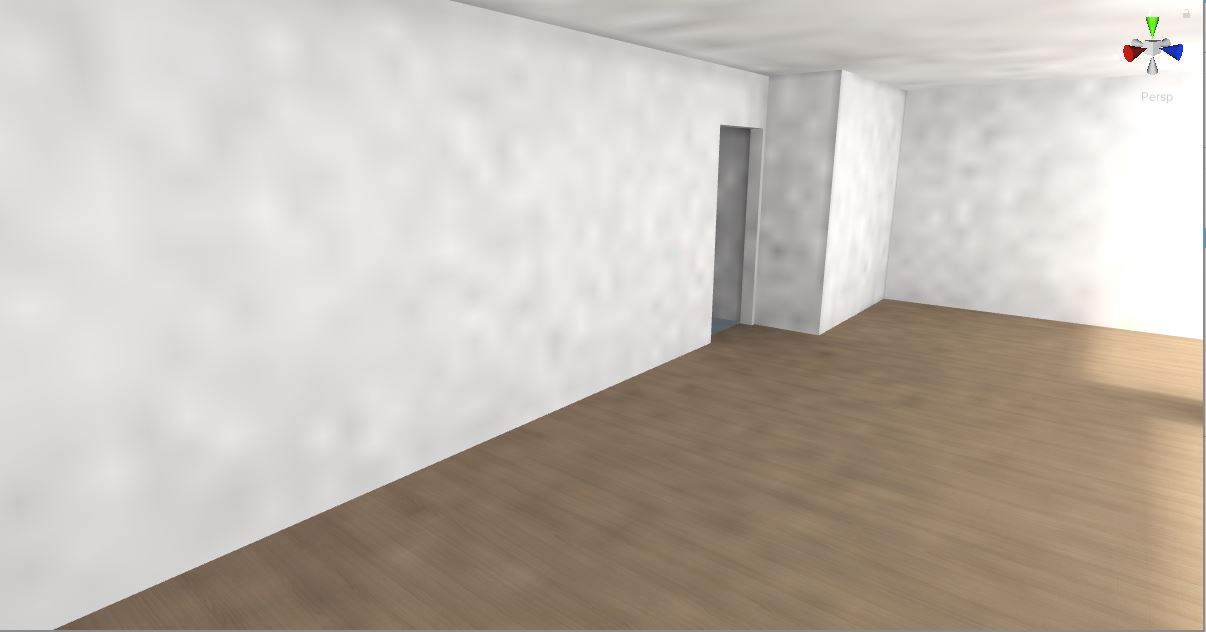
Please see the attached image (area light only): you can see invalid patterns in the lighting.
(settings for this area light are provided also)
Same for my sun lighting.
I have never seen this before, first time I use Unity 2019.3.4f1. So I suspect it…
Anyone knows what to look for ?
There is also a screenshot of the baked map :
I hope you can shine some light on this 
It seems the denoiser (auto) helps, but never used it in the past, so why now ?
As you pointed out a denoiser can help reducing the sampling noise or you can increase the number of samples for indirect lighting or environment lighting. These settings are found in the Lighting window.
Thanks @KEngelstoft .
I did keep the default settings (200 for each). Increasing to 250 already increases the bake time quite a lot. So I keep 200 (without knowing if that is good or not, or what value should be used)
Default denoiser seems ok.
My main concern was that with Unity 2018 I never had to use a denoiser and it was fine… So something changed there !
Several things changed in 2019.x vs 2018.x. One thing that I can think of would be the light power sampling, but that should decrease noise not increase it:
- Light power sampling has been added to the Progressive Lightmapper. Instead of trying to shoot shadow rays at every light that could potentially affect any given lightmap texel, it picks the best candidates based on probability. This leads to fewer rays shot, reduced lightmap noise, and higher baking performance.
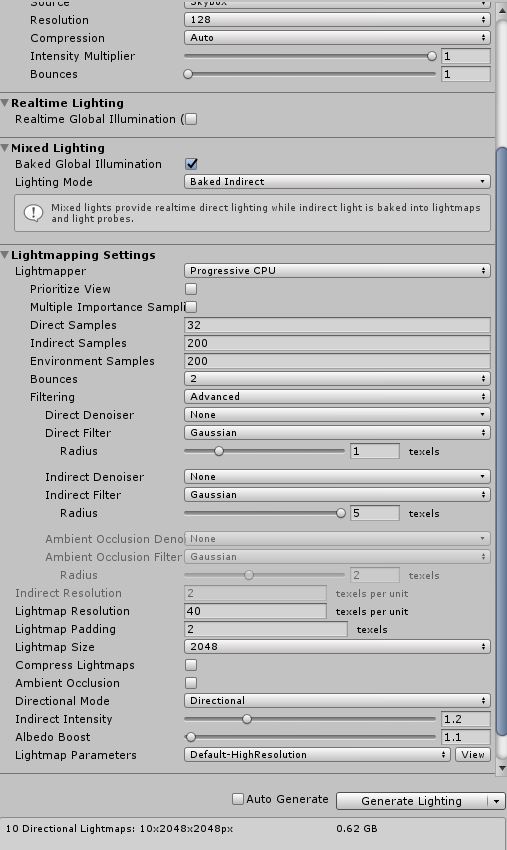
Are you using the Multiple Importance Sampling option for environment lighting (find this checkbox in the Lighting window)? If possible please supply a screenshot of that window.
Dear @KEngelstoft ,
I do have to say that in a previous project, I used 2019.2 and did not have issues.
So I will also provide the info for that one.
Do you see anything abnormal ?
2019.3.4f1:
2019.2 :
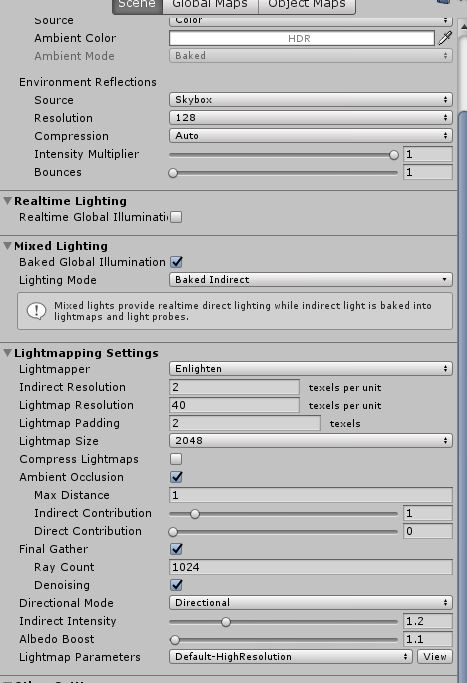
2018.2.11 :
thanks !
The biggest difference in your settings is that you used Enlighten for the 2018.2 bake and Progressive CPU for the 2019.x bakes. Enlighten is using a fundamentally different algorithm (Radiosity) compared to the Progressive Lightmapper which is using path tracing. Path tracing will give a noisy result with lower sample counts.
The auto filtering setting you are using in the 2019.3 screen shot will apply a denoiser.
Dear @KEngelstoft ,
thanks for the answer.
But I did use 2019.2 without denoiser and had no issues. Things did change between 2019.2 and 2019.3 ?
Hello, yes some changes were done between 2019.2 and 2019.3 but not any that should increase noise.
It’s not clear to me if you were working on the same project on 2019.2 and 2019.3, the sample count (direct, indirect, environment) are really scene dependant, the more complex your scene (geometries, lights, environment) the more sample you would need to get a noise-free result.
Using denoising is a good solution.
There are also some changes in 2020.1 that further improve the quality of the lightmapper (sampling got better). If you can upgrade I would recommend it.
I hope that helps.