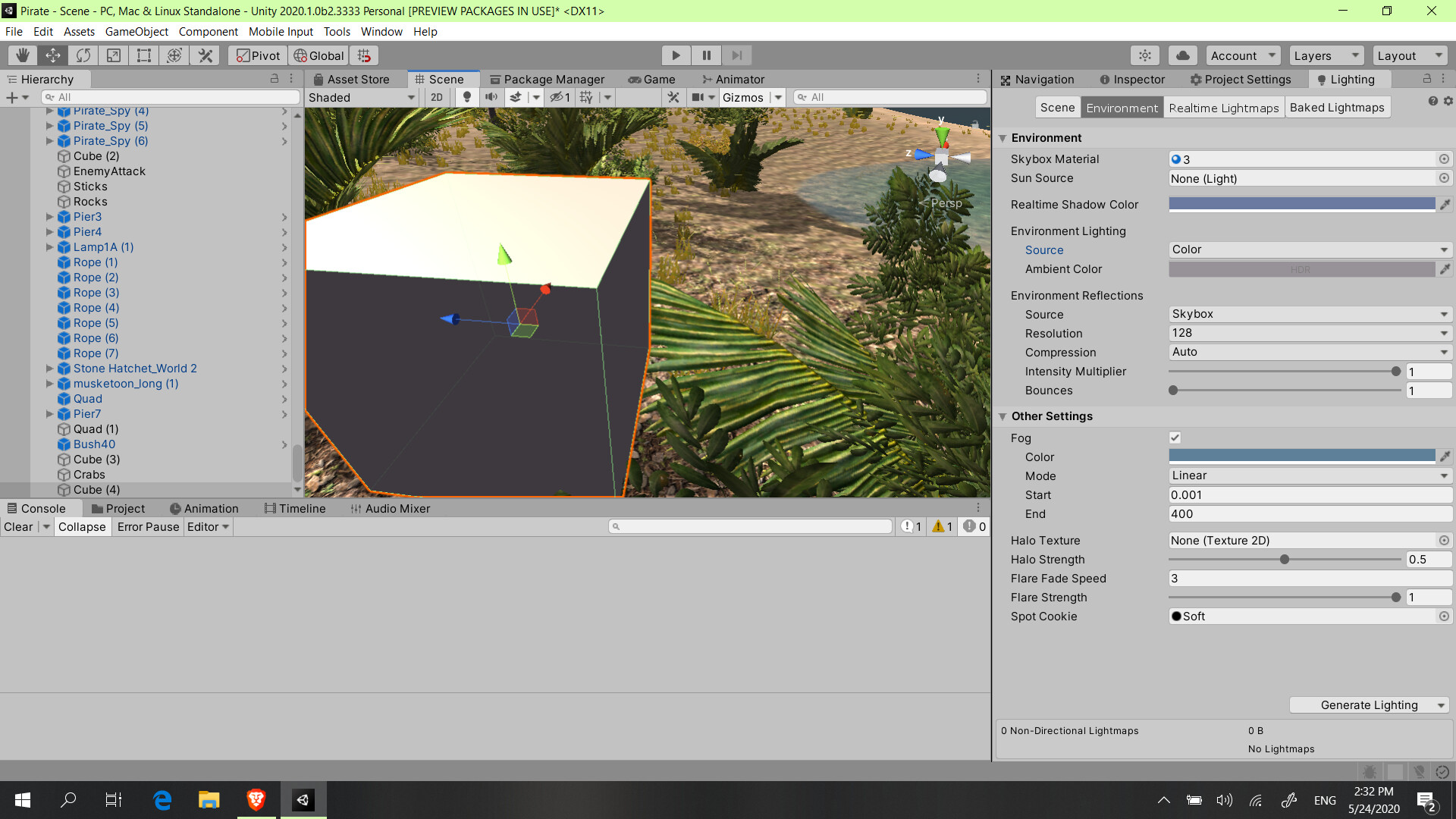
In the video below you will see if I adjust the strength of the shadows from Directional Light, the shadow that’s projected on ground is modified, but the dark part of the cube is still very dark even is the strength of the shadows is 0.
tuwrnr
It is probable something in Window - Rendering - Lighting but I didn’t find anything on web.
Yes I find a solution:
In the lightning tab (Window > Rendering > Lighting) In the enviorment tab I changed Source from skybox to color and I choose a color that fits to my enviorment(#4F4A4F) that’s the code if you want to use it. And now I I create any mesh the unlit parts are not fully black:
As you can see the cube has shadows on it’s own surface but not very storng shadows:
I screen recorded to show you what does the change for me:
6zks3c
Thanks for the detailed answer!
I tried it your way, but I still have the same problem, and I think you might have it too, but I’m not sure.
I’ll post two clips, first from Unity 2019, second from 2018.
Unity 2019: 2is3x7
As you can see, the two sides that are in shadow are pitch black, and you can’t see the divide between the two.
Unity 2018: 2iiee2
In old Unity, you can actually see the divide between the two cube sides, and their illumination slightly changes as you pan the view.
My new Unity installation might have been faulty and that’s why this issue occurs. I’ll try to reinstall it and post an update if it helped or not.
If not, I guess I’ll just switch to the old Unity, as the differences between editors don’t seem to be that large.
Yea, maybe but that detail can be noticed at primitive meshes like cubes, etc. I have more complex meshed that the lighting delimitation is not so imaportant because the cube that has 6 surfaces and a 90 degrees angle between 2 of them the lighting of each surface should be sharp. but for a curved surface like a shpere or a mesh that has many triangles the lighting should be smooth like it is.
I’m using unity 2020 and I have the same problem, but as I said it isn’t cause any weird lighting behaviour in my project, but if you consider this a serious problem create a forum and use my thread as a reference.
P.S: Are you using SRP(HDRP, LWRP, URP), or standard 3D project without any scriptable render pipeline?
And if you create an thread please send me the URL of the forum because I want to know if it is a new 2019 lighting feature or just a lighting glitch
And also try changing the shader from standard to another PBR, add normal maps, etc.
There are a lot of lighting variables that may change a lot the render of objects
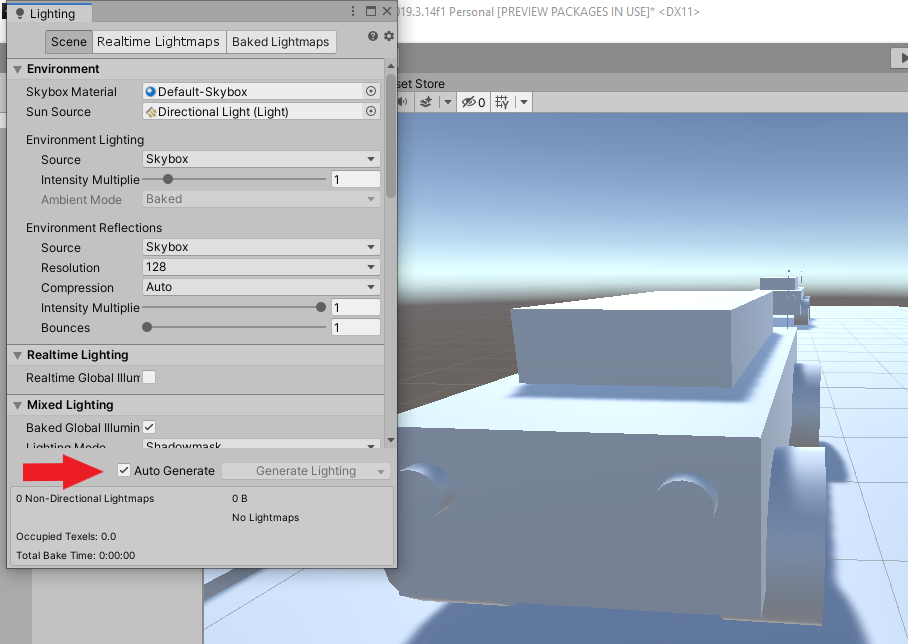
I figured it out; in new Unity the lightning is not set to Auto Generate by default.
Once you manually trigger Generate Lightning or turn on auto-generation, everything looks OK.
So, if anyone else stumbles upon this problem, go to Window > Rendering > Lightning Settings, and then in the Scene tab click on Generate Lightning at the bottom of the window (or just check the checkbox next to Auto Generate).
@MikeyJY , not sure if this was your problem also? I’m a newcomer to the Unity scene, so this might have been obvious to people who spent more time with it.
I’m not quite sure, but I found another fix, this is quite complicate and I don’t understand exactly how it works, I found a shader online that adds ambient light to existing lit objects and the transition between 2 sides of an object with the exact amount of light isn’t seamless anymore.
You can also try turning down the strength of the shadows (under Real Time Shadows in the main inspector). I found this helped a lot with my scene where trees looked very dark - Area Light shadows to zero, and Direction Light as required.
thank you man, when i worked in editor, the shaders, and light were ok, but aways when i star the game simulation, its was all black, I set the configuration to auto generate as you did, and works very well.
There is a solution to this: Every time I switched to another scene, the shadows are just pitch black. I recommend increasing the light bounces. If this doesn’t work, try experimenting with the Intensity multiplier.
Window - Rendering - Light - Environment - Environment Reflections - Bounces
We had also some issues with very dark shadows (dynamic levels, without baked lightmaps) and we solved it by calling DynamicGI.UpdateEnvironment(); at some point (maybe after level load).
You could also play with DynamicGI.updateThreshold as it will trigger a recaluclation if there were enough changes for the lighting.
This workaround also works for 2021.3.6f1 and URP.
Only one invoke of this method, during starting application, is enough.
When URP would be finished? Something with such an essential bug with real-time lightning shouldn’t happen. Do you even open the engine before deploying the new version? xD
 It should be your ambient light settings, see