If anyone has this problem, here’s the easiest fix:
- Download a Mixamo character in T-Pose, as shown in this picture:

- Drag and drop it into your Unity project and set it as Humanoid in the Rig tab:
Now you have a humanoid avatar in a T-Pose

- Go to the animation or character(humanoid) you want to fix, set Avatar Definition to Copy From Other Avatar, and assign the newly created avatar in the Source option:
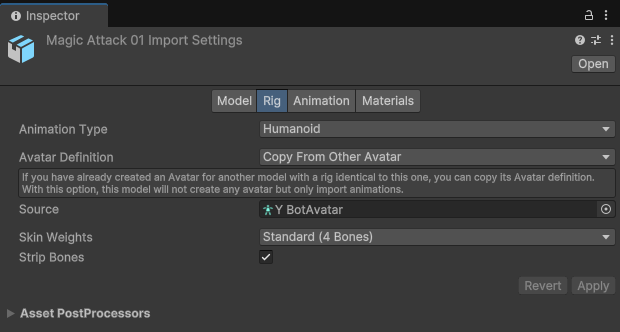
- If its rotation is off, looks in the wrong direction, you can adjust its offset in the Animation tab.
