As it takes another month for release, I went with preview 6000.0.20 for a more elaborate test on DX12.
Test scenario is a HDRP / XR scene using only the Unity hair package and multiple instances of the included hair curtain from hair sample scene, so the test is VERY heavy on compute shader. All results are measured on a build using fpsVR (an FPS measurement tool running in SteamVR).
Here are my test results (did 6 runs for both versions):
DX12
GPU in ms 25.5 | 20.5 | 25.5 | 20.5 | 20.0 | 21.2    average: 22.2
CPU in ms  8.0 |  7.8 |  7.8 |  7.8 |  7.8 |  7.7	 average:  7.8

3.5 GB memory


DX11
GPU in ms 25.0 | 20.5 | 20.0 | 21.0 | 21.0 | 20.5    average: 21.3
CPU in ms  5.3 |  4.8 |  4.8 |  4.8 |  5.0 |  4.8    average:  4.9

3.2 GB GPU memory
Surprisingly GPU time was about the same (if the outliers are removed) and CPU time was much worse on DX12, so vice versa of what to expect based on previous postings from Unity team. memory usage was constantly higher on DX12, but not as severe as it has been before. On the “better” runs on DX12 it was very noticeable that CPU time was fluctuating a lot.
Overall I’d say DX11 still does have better overall performance for now. Result is much better than my last tests, but still some way to go for parity. Of course this is no scientific test and tests a very specific scenario only.
In Unity 6000.0.21 editor (URP forward+) with 90000 entities (ECS) rendered passing from directx11 to directx12 give me a /2 frame rate 120 → 60.
CPU profiling show a big WaitForPresentOnGfxThread taking almost all the CPU one frame on 2.
GPU profiling does show almost the same as dx11.
No VSync activated.
Is there something to do to avoid this sync point?
Normally with this event the bottle neck is either your Render Thread or GPU. What if you check Unity Profiler → Render Thread. Is it full of work/commands while the Main Thread is already waiting?
But in general, the editor is usually much slower. What if you make a build? Is the FPS the same?
In the timeline, render thread is taking ages in waitforGPU (17ms).
And below in D3D12 task worker, there is a GfxTask_readvalue (17ms) with a semaphore waitforsignal.
Any idea what can be this waiting task?
A build seems to have the same problem but with different names.
WaitOnSwapChain on the main thread
WaitForGfxCommandsFromMainThread on the render thread
and the same d3d12 task
Even getting between 60 and 30 fps when I move the camera.
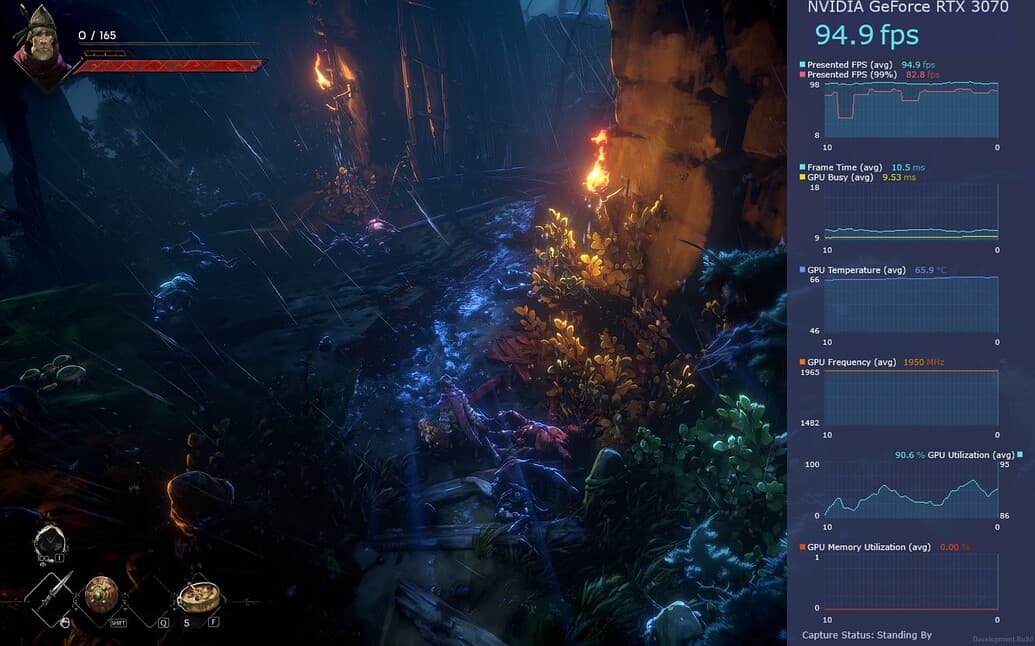
The Render Thread is responsible for direct communication with the GPU. If Render Thread is waiting for GPU, you must be GPU bound. What if you download Intel PresentMon → Download v2.2.0, install/start it and set Preset to “GPU FOCUS”.
Then run editor or a build with it. It will show a special window with detail info about GPU utilization, temperatures etc.:
I my tests in 6.1 yes… DX11 has higher FPS than DX12 by a good margin. I recommend doing your own thorough testing because it might differ from project to project I guess.
Hi, thanks for the input on this, it is very appreciated and useful.
Actually is not about my projects, is mostly for users of my assets ask what to recommend and if they should be using DX12 and need to understand how it behaves in latest updates in as many projects as possible, to form a consensus on this, besides my own tests.
Everyone I know of (including myself) came to the same conclusion: DX12 is still slower and uses more memory compared to DX11.
It definitely became better and more stable in Unity 6, the gap is closer now, but still some way to go.
BIRP + DX12 is consistently slower. Sadly, BIRP + DX11 in 6.1 is 0.8 to 1.4 ms per frame slower than 2022.3 LTS for me (CPU). I’ve spent hours reviewing profiling data. I haven’t found the culprit yet.
My last PC game is 2x faster with DX11 and HDRP in the Unity 6.0 on 1050TI and Ryzen 5 3600xt
33 ms with DX11 vs 70 ms with DX12 without quality difference in the 1080P res
So i just removed DX12 from my player settings
The game is not playable in the DX12 even on 720P with a lot of lags… but in the DX11 game is 100% smooth in 1080P res
Also overall editor performance is better by removing the DX12
Now I have a question: Will removing DX12 from my game cause problems on the new graphics cards? I only want to support DX11 in my game
My game is advanced and big that’s why my result is more realistic and accurate
Also I have used all the effects and techniques in this game
Also if you see the benchmark the graphics cards on the PassMark website , the DX12 it gives half DX11 fps in almost all cards
So this is a general problem
Also, the Unity editor on the DX12 constantly hangs on the 1050 TI, but by removing the DX12 API, it has become much faster