
Notice that when using Russian Roulette optimization, the output is almost identical. Yet the bake time is much faster.
Overview
These features were developed by Arthur Dufay ( @ADufay ).
Russian roulette
During the bake, we launch rays in the scene that bounce on the surfaces, creating a light path. This is a fundamental step for GI calculation. The more the ray bounces, the longer the path, and the more this said path is compute expensive. One cannot rely on the fact that a path will end by not intersecting any geometry. This is especially true in indoor scenes, so at some point the lightmapper needs to end the path. There are two ways of doing this: by setting a max bounce count, or in a random way by using Russian Roulette.
Russian Roulette method takes into the account how meaningful the path is to the GI. The chances of a path ending early increases each time it bounces on a dark surface. This reduces the total bake times. Bright surfaces have an opposite effect, as they increase the importance of a path. This in turn increases the bake times.
Note that Russian Roulette is not a noise reduction method. Aggressive Russian Roulette values will likely introduce noise in the lightmaps.
Improved sampling
We implemented a better decorrelation method for CPU and GPU lightmappers. This results in results in better lightmap convergence and less artifacts.
Also, we have increased the sample count limits from 100.000 to one billion samples.
Setup instructions
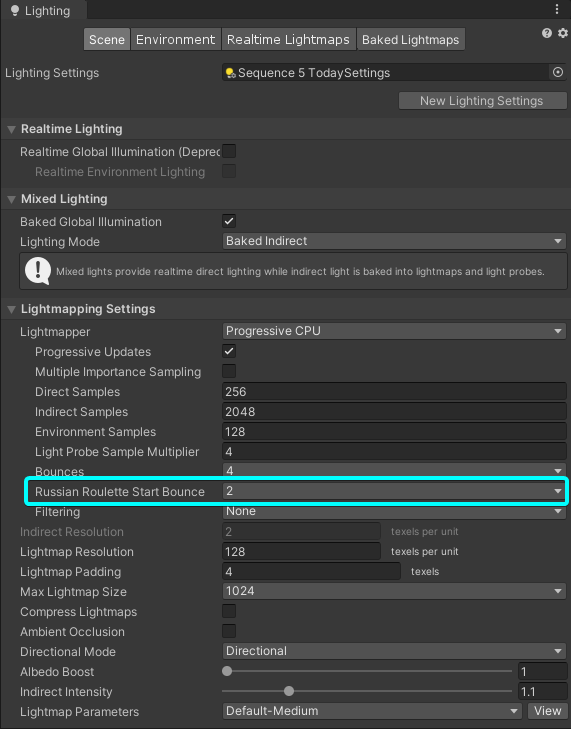
You can find Russian Roulette option in the Lighting Settings window. Choose the value appropriate for your use case, and you are good to go. This option is available for both CPU and GPU lightmappers.
Decorrelation improvements are active by default, and do not need any user input.
Feature access & feedback
You can get access to the feature by downloading the latest 2020.1 and 2020.2 alpha builds via the Unity Hub, or via this link - Unity Editor Alpha Releases. We are looking forward to hearing your feedback!
