I’m trying to apply a ‘Deuteranopia’ filter in my scene to simulate that kind of colour-blindness, but I am struggling to pinpoint what is causing an issue where if I recompile my scripts, this shader is applied as expected, but if I change scenes then the game view is black, and if I go back to the scene where the global volume is applying this renderer, it then is also black.
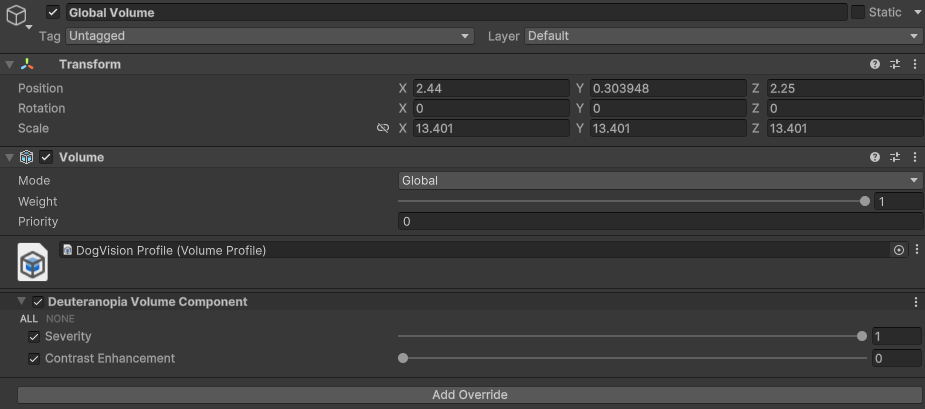
It seems this renderer is being applied to ALL scenes, even though it should only be applying when the global volume in that scene has a profile with that renderer on but this is not the case, as if I turn off the global volume it’s still being applied.
The errors I get multiple times are:
-
Render Graph Execution error
UnityEngine.GUIUtility:ProcessEvent (int,intptr,bool&) -
ArgumentNullException: Value cannot be null.
Parameter name: material
The material seems to be assigned properly:

I’ve followed the documentation example (Unity - Manual: Example of a complete Scriptable Renderer Feature in URP) to create the blur effect they use, and this works as expected.
As such, I’ve used this as a starting point, but even if I only use the blur files this still happens.
I believe I’ve correctly applied the Render Feature to my Mobile_Renderer and that it is enabled on the GlobalVolume Volume Profile in the scene.

I’ve attached the files used in the documentation files, as well as my own files I’m trying to use.
CustomVolumeComponent.cs (327 Bytes)
BlueRenderPass.cs (3.8 KB)
BlurRendererFeature.cs (1.4 KB)
BlurShader.shader (2.6 KB)
DeuteranopiaRenderFeature.cs (1.8 KB)
DeuteranopiaRenderPass.cs (3.6 KB)
DeuteranopiaShader.shader (3.2 KB)
DeuteranopiaVolumeComponent.cs (523 Bytes)
Would appreciate if anyone can point me in the right direction. I must be missing something from how the documentation example was implemented.
(Unity 6000.0.33f1, URP, Android, VR)