I’m in the process of converting my project over to HDRP. Relatively smooth sailing so far, but I’m finding that with Realtime GI enabled, I’m seeing a lot more indirect lighting bouncing in my scene than before. It’s so much light that it seems to completely wash out any shadows the objects might cast. I’m curious if anyone can suggest something I might be doing wrong.
Here’s a visual comparison. The first is the game running under the built-in renderer. In this scene there are two spotlights hanging from the ceiling:

Note that there are shadows on the ground.
Now here is the same scene, this time under HDRP. Forgive the few objects I still haven’t fixed up yet:

Some objects are significantly brighter now, though others (the large door on the left, the metal boxes) are noticeably darker. This is with Realtime GI enabled, and a few light probes around the room.
Now, here’s the same scene under HDRP if I disable Realtime GI, and crank the intensity of the two spotlights:
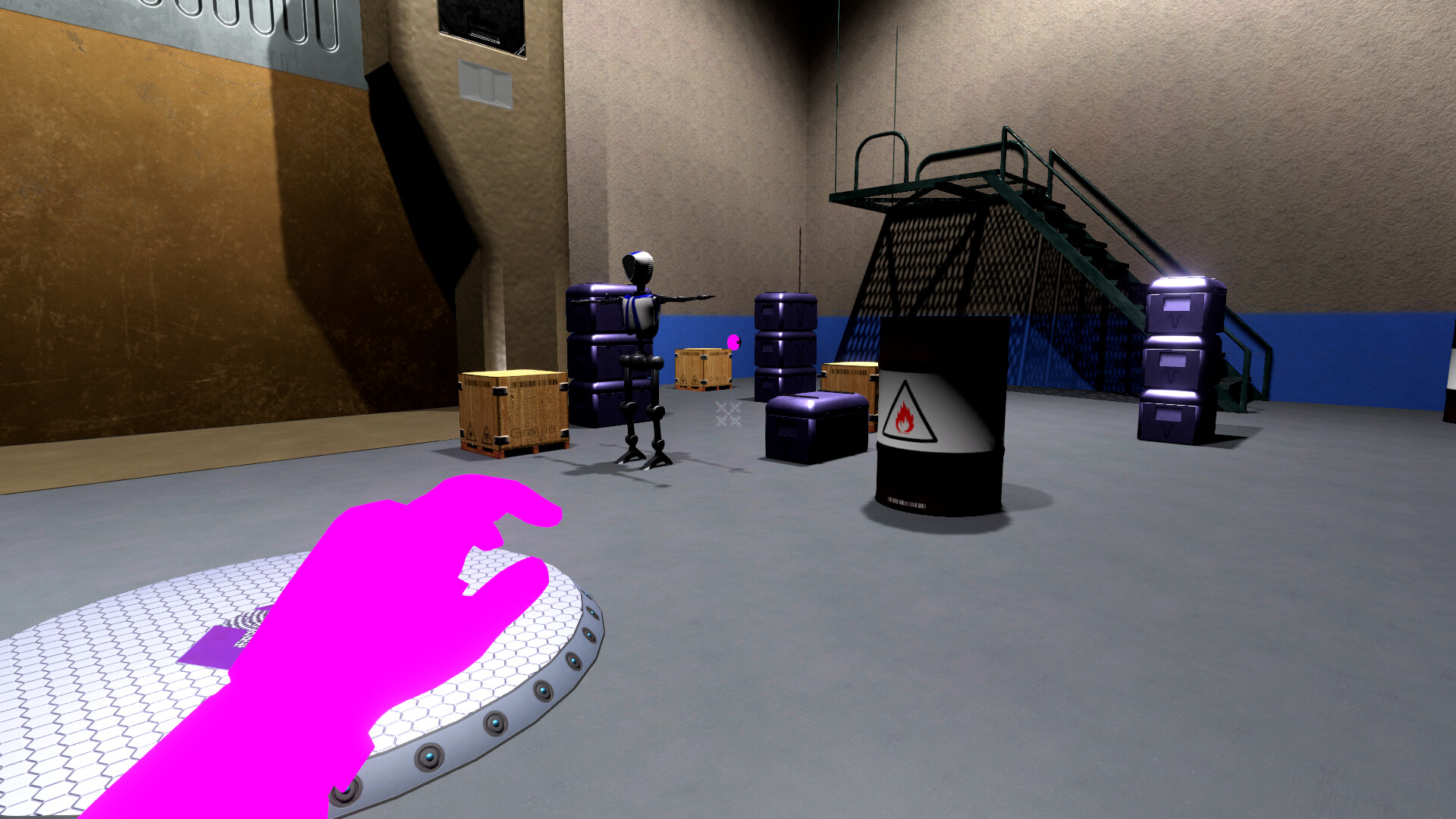
Notice that you can see the shadows again.
Some stats for the three screenshots, to summarize:
- Screenshot 1: Built-in renderer, Realtime GI enabled, spotlights each at intensity 4
- Screenshot 2: HDRP, Realtime GI enabled, spotlights each at intensity 400 lumens
- Screenshot 3: HDRP, Realtime GI disabled, spotlights each at intensity 12000 lumens
There is no baked lighting in the scene. Any indirect lighting adjustments are set to 1.
The obvious issue is that in Screenshot 2, with Realtime GI enabled, I’m getting a huge amount of bounced light, and I don’t understand why. It wasn’t like this under the built-in renderer. It’s so much bounce light that it’s washing everything out.
I’m not sure what else to mention, but here’s what the light looks like:

Any thoughts on why I’m getting so much indirect light in my scene?
Thanks.


