Shader Graph improvements in Unity 6.3

Hi,

Unity 6.3 Alpha is now available, and here’s what’s new in Shader Graph for you to check out.

8 Texture Coordinates

You can now access UV channels 4 → 7 in shader graphs.

Nested Properties & Keywords

You can now set properties and keywords in (nested) subgraphs.

This allows creating self contained Subgraphs, and makes authoring shaders by composition much easier.

Here’s an example of the Rock Shader from the Production Ready Samples, using this to promote the subgraphs’ properties – such as moss and rain parameters – to the main graph.

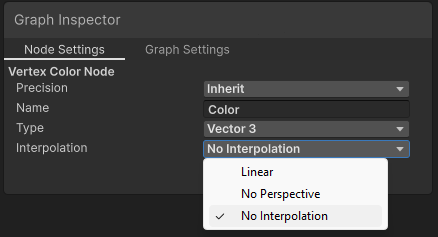
Interpolation Settings

You can now set modifiers such as nointerpolation on Custom Interpolators.

Graph Templates

As with VFX Graph, you can now create new shader graphs from templates.

@BenCloward shall follow up with a demo video. In the meantime, you can try it yourself from:

Assets/Create/Shader Graph/From Template

Unity 6000.3.0a2 is the first public alpha. We’ll share updates in this thread.

In the meantime, we’ll be happy to get your feedback.

36 Likes

It’s important to mention here that there are additional features coming to Shader Graph in Unity 6.3 that Fred didn’t mention here. Some of them are taking a little longer to cook, so they’re not yet in the 6.3 alpha, but we’ll post about them when they become available. 6.3 is a pretty amazing release for us and I’m pretty excited to show you what we’ve been making when it’s ready.

24 Likes

why is shader graph still developed? I thought shader graph 2 is going to replace it? if so why sate development resources on something that’s going to be depreceated

Appreciate the addition of better nested keyword support. Could that be backported as well?

2 Likes

Hi @nickdevprod,

we addressed this question already.

I hope this helps framing our strategy.

7 Likes

Hi @DevDunk,

We only backport bug fixes, not features.
This feature is also quite involved.

Let me share more details about it:

Keywords

Before Unity 6.3, you could already add keywords in sub graphs, but with limitations:

  • only one level of nesting
  • could not generate a property for them
    • mostly relevant for multi-compile and overridable keywords you would set globally
    • or you also had to add the same keyword in the main graph

In Unity 6.3, you can now:

  • add them in nested sub graphs
  • generate and promote their property to the main graph
    • which allows for any keyword (shader feature, multi-compile or dynamic branch) to automatically appear in material instances

Properties

Before Unity 6.3, subgraph properties would only serve as input ports for the subgraph.

In Unity 6.3, you can now promote a subgraph property, which will not generate an input port, but instead add it as a material property to the main graph.

Globals

Before Unity 6.3, using a Custom Function Node, you could declare a uniform and fetch it as a global property from within a subgraph.

In Unity 6.3, this is much easier as you can just add a property to a subgraph and promote it as a global.

Per Material

Promoted properties work just as main graph properties. You can decide whether you want to show them in the material inspector and adjust their settings the same.

Categories & Duplicates

Properties put in categories will show in the material inspector in the category foldout.
Root properties will show in a foldout named after the subgraph.

If a promoted property is used in different subgraphs, given their name, type and category path all match, they will appear as one property.

Say you have a “material permeability” property that’s meant to tell how much a material will absorbe water for example. You may want to use it in several subgraphs, for adding rain, snow, mud, etc.
Each of those subgraphs can expose and promote that same property, in a category “material properties”, and it will appear only once in the material.
Under the hood, this will generate only one uniform, and only one ShaderLab property.

VFX Graph

Note to VFX Graph users.
Please note that those promoted properties will not show as input ports in a Shader Graph Output Block.
We do appreciate how useful this would be for uber VFX shaders, and further improvements are under consideration.

I hope this helps you discover this new feature better while we’re working on the documentation.

7 Likes

The nesting looks very interesting, thanks for this.
But PLEASE where are the portals? how can we still not have portals after all this time? Its been years! Years without portals…
Its like coding without functions, its just ridiculous


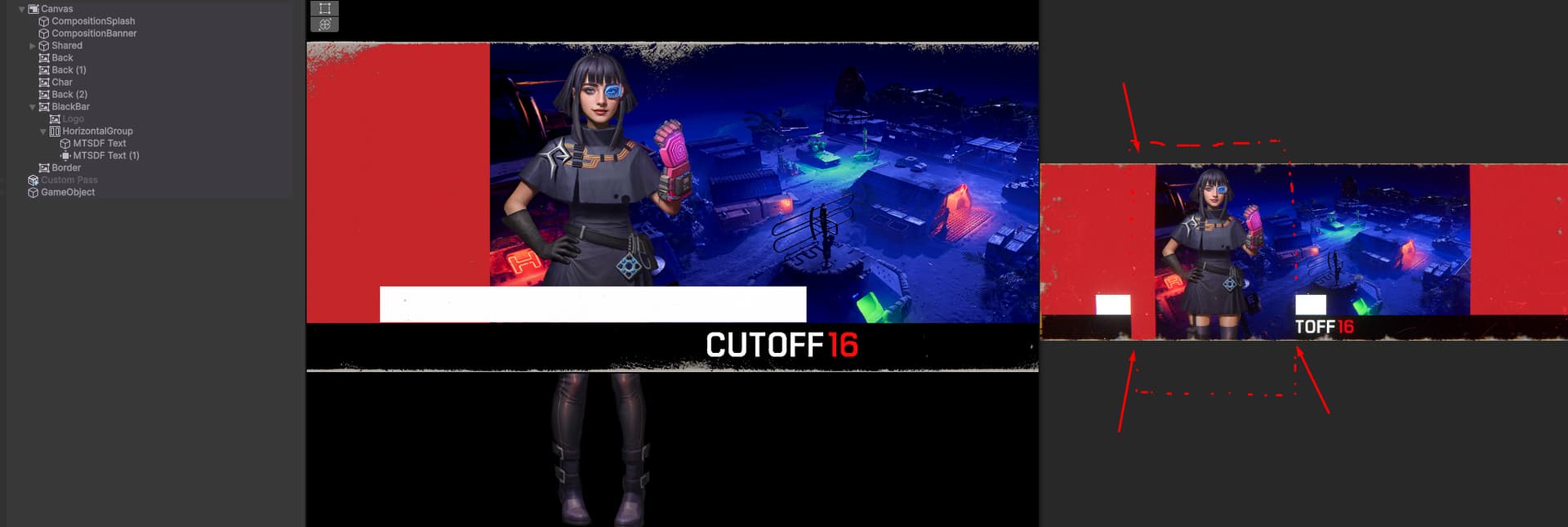
Also I must complain about shader graph for canvases

We’ve waited many years for this.
The rendering is broken in game view but not in scene view (6000.0.5f1)
Any object which is not using a canvas shader now is being hidden by the canvas shader.
There is 1 setting, which is alpha clipping. There is no additive in a UI shader. This is so bare minimum but then it dosnt even work.
I have to go back to amplify shader to make UI shaders, I was very dissapointed in this.

1 Like

Hi @EricFFG,

Portals is an example of a feature we don’t want to implement twice (in Shader Graph and VFX Graph).
This is why we are migrating to Graph Tool Kit (GTK), a modern framework based on UITK, which allows us to mutualize the effort, and offer a much better user experience.

Please file a bug and open a new thread here. I’ll take a look.

Thanks for your feedback.

6 Likes

nointerpolation, it’s finally happening :folded_hands::folded_hands::folded_hands::folded_hands::folded_hands::folded_hands:

2 Likes

That’s awesome! :raising_hands::raising_hands::raising_hands: Looks like something big (and long-awaited) is coming to life — nointerpolation sounds like a serious milestone. Congrats if this is your launch or project rollout. :tada:

1 Like

Whats nointerpolation?

It prevents the interpolation of vertex attributes in between the vertex and fragment stages in the shading pipeline.

You can use it do things such as

  • hard normals, without duplicating vertices
  • referencing indices in an array, without worry of your values being destroyed by interpolation
6 Likes

Thank you Ben. What I’ve already seen is going to be a big productivity boost! All of the team’s work is appreciated.

2 Likes

yeah fred, show examples when you present new functions
usually nointerpolate is to get flat faces on a smooth normal models, to avoid doubling up vertices and get that look, but maybe that’s something different.

Yes, like @funkyCoty said,

We shall provide examples in the documentation, and probably some samples too.
In the meantime, here’s a quick example of use VertexID to generate a random value, interpolated (default), and non-interpolated.

FWIW, faceted rendering doesn’t require a custom interpolator.

9 Likes

Interesting, so you are developing SG2 but still supporting SG1, that’s nice imho, thanks for the info, i’m not taking into consideration Unity for my future projects, but maybe i may come back in the long future if see the company having good intentions again like this :slight_smile:

6 Likes

When will we see a SceneColor node where we can choose AfterRenderingTransparent, not just AfterRenderingOpaque? Having to set global textures in an entirely separate renderer feature, create a new layer mask, and being forced to set every object that uses this jury-rigged solution to that layer for a separate render pass is not a valid alternative.

Hi @DevianDic, can you provide more details on the use case?
The more we know about the intent, the easier for us to enable it.


As you can see here, this heat haze using the scene colour node doesn’t render the water. The water is transparent, so it renders after opaques. This feels counterintuitive to only support an opaque texture. This would also affect glass, trees, anything that isn’t opaque is going to be essentially erased from existence.

1 Like